Choose and set up your sign-in method
Last updated: November 9, 2026
Use your organization’s configured sign-in method for the Consensus Live web portal and extension. Admins can coordinate SAML SSO with an identity provider or provision accounts for supported sign-in options.
Set up SAML SSO
Obtain the SAML sign-on URL, issuer, and certificate from your identity administrator.
Open Settings → Company Settings in the Consensus Live web portal as an admin.
Configure SAML Single Sign On with your identity administrator.
Enter the required identity-provider values, review them, and save.
Test an assigned user’s IdP-initiated sign-in and role.
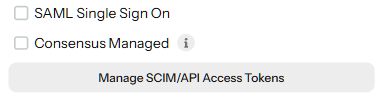
For complete endpoints and attributes, use the SAML setup guide. For Okta, use the Okta configuration guide.
Provision accounts for Google or Microsoft sign-in
If your organization uses a supported Google or Microsoft sign-in method, add the user through Users & Teams → Invite User. Review the role, team, and Send Invitation Emails choice before creating the invitation.
Users should choose the matching provider on the sign-in page and use the email assigned to their account. Follow your organization’s SSO policy when Okta or another identity provider manages access.
Keep authentication and provisioning separate
SAML controls sign-in. SCIM automates user and team provisioning. Configure and test each integration your organization needs.
Contact Support for SSO-only enforcement or if the expected sign-in method is unavailable.